
How to Delete Your Account
You can permanently delete your Bawabat account at any time. Follow the steps below for the Bawabat app, the provider app, or the provider website. Deleting your account removes your personal data as described at the bottom of this page.
Bawabat app (buyers)
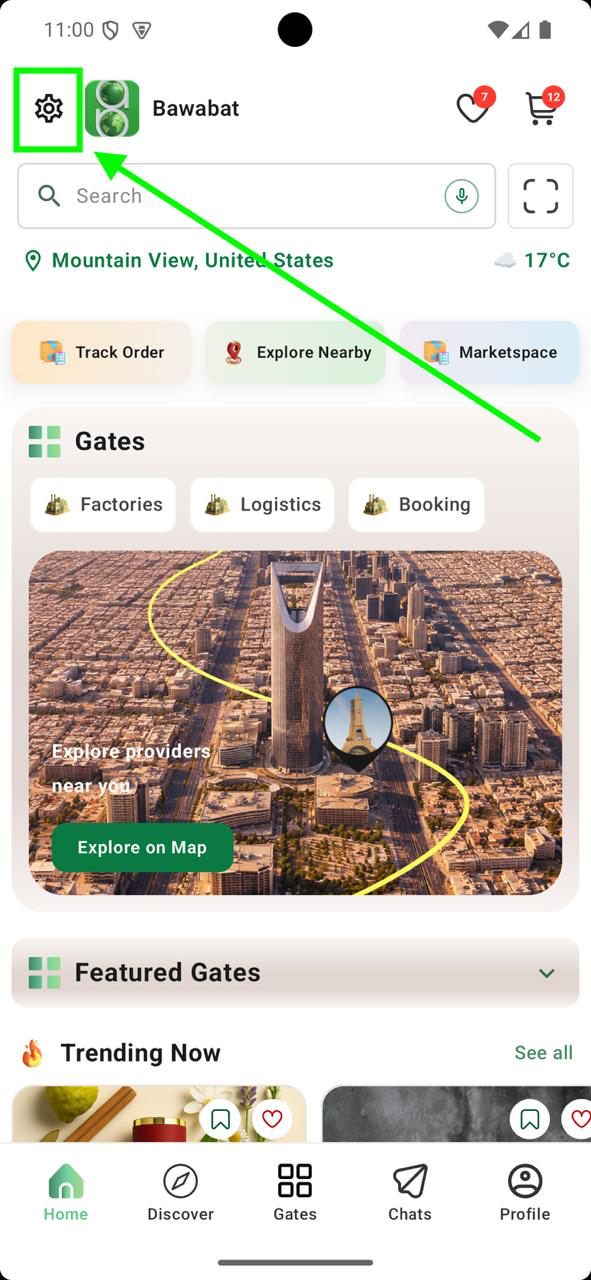
Open Settings
On the Home screen, tap the settings (gear) icon in the top-left corner.
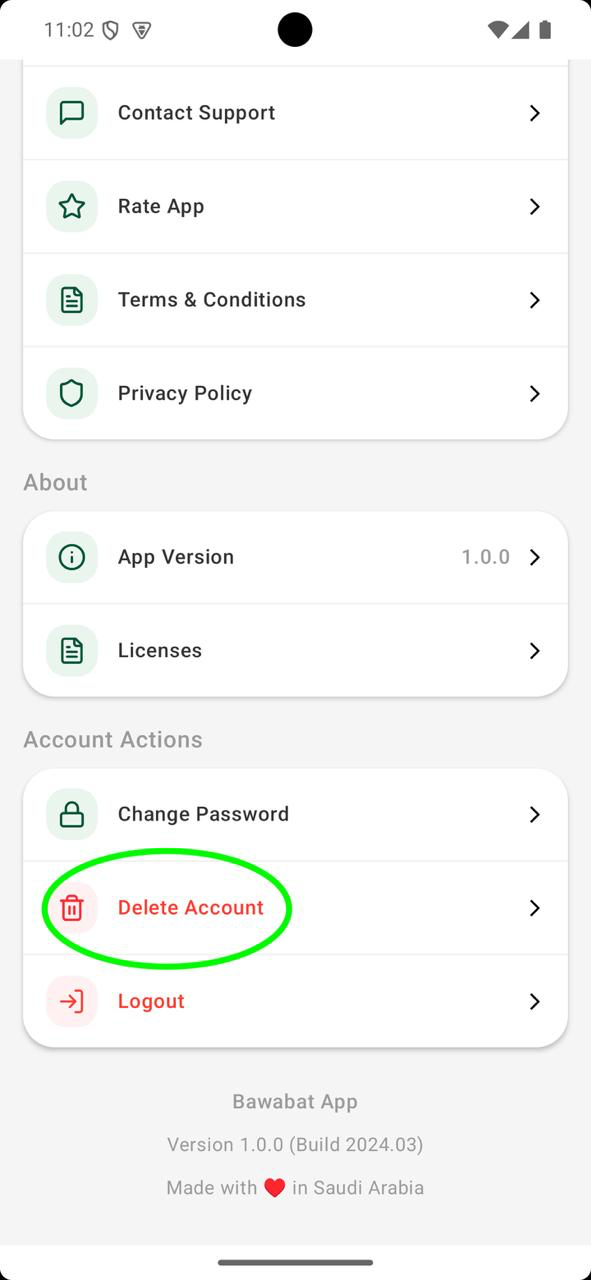
Tap Delete Account
Scroll to the "Account Actions" section, tap "Delete Account", then confirm.
Provider app (factories)
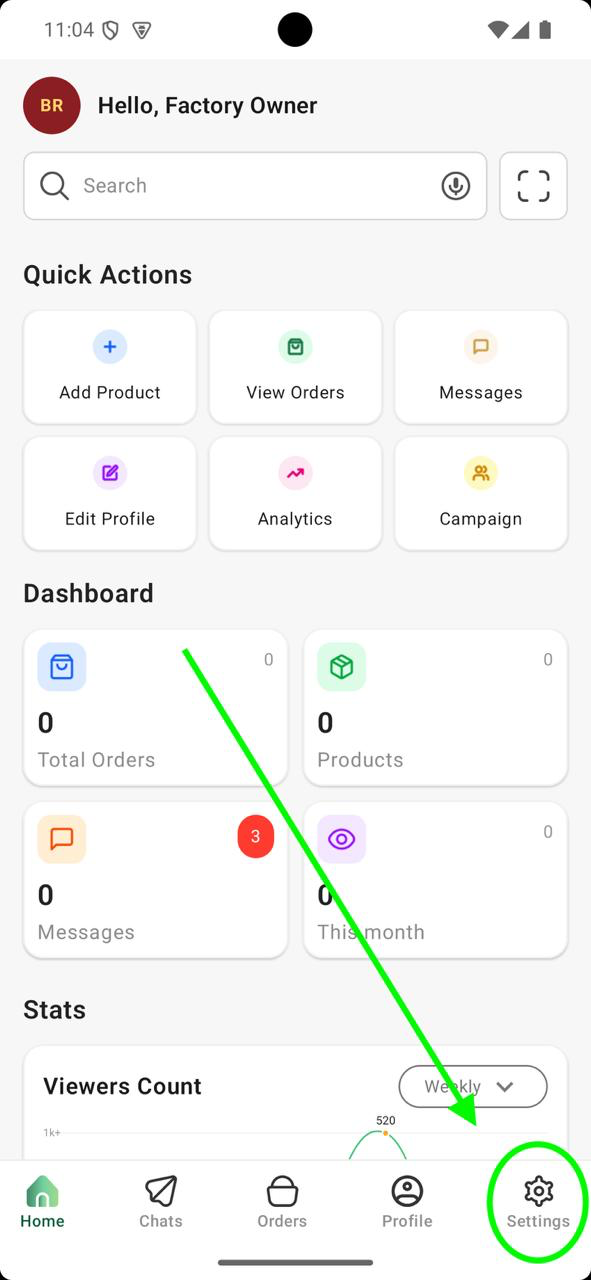
Open Settings
From the dashboard, tap the "Settings" tab at the bottom-right of the navigation bar.
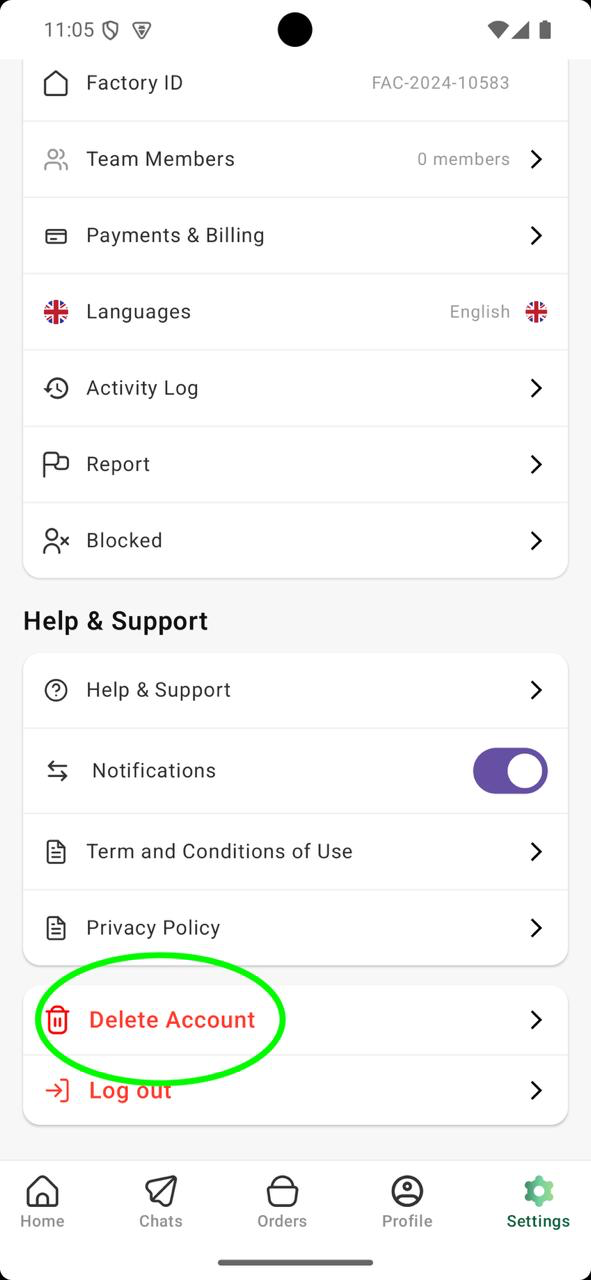
Tap Delete Account
Scroll to the bottom of Settings, tap "Delete Account", then confirm.
Delete from the website (providers)
Factory owners can also delete their account from the Bawabat website:
- 1Sign in to your provider account and open the Dashboard.
- 2Go to Settings.
- 3Scroll to the bottom of the page and click "Delete account".
- 4Confirm with the verification code sent to your email, or with your password.
Only the factory owner can delete the account — team members won't see this option.
Go to SettingsWhat happens when you delete your account
- Your account is scheduled for deletion after a 30-day grace period, then permanently removed along with your profile, products, team, and data.
- Your factory profile and listings go offline immediately and are hidden from buyers.
- You can't delete your account while you have active orders — complete or cancel them first.
- Changed your mind? Just sign back in before the deletion date to cancel.
Need help?
If you can't access your account or need help deleting it, contact our support team and we'll assist you.